



Get started with Equipment Control

Quick Guide

Here is a step-by-step guide on how to start up your new NorthTracker Equipment Control.

  1. First, download the app.

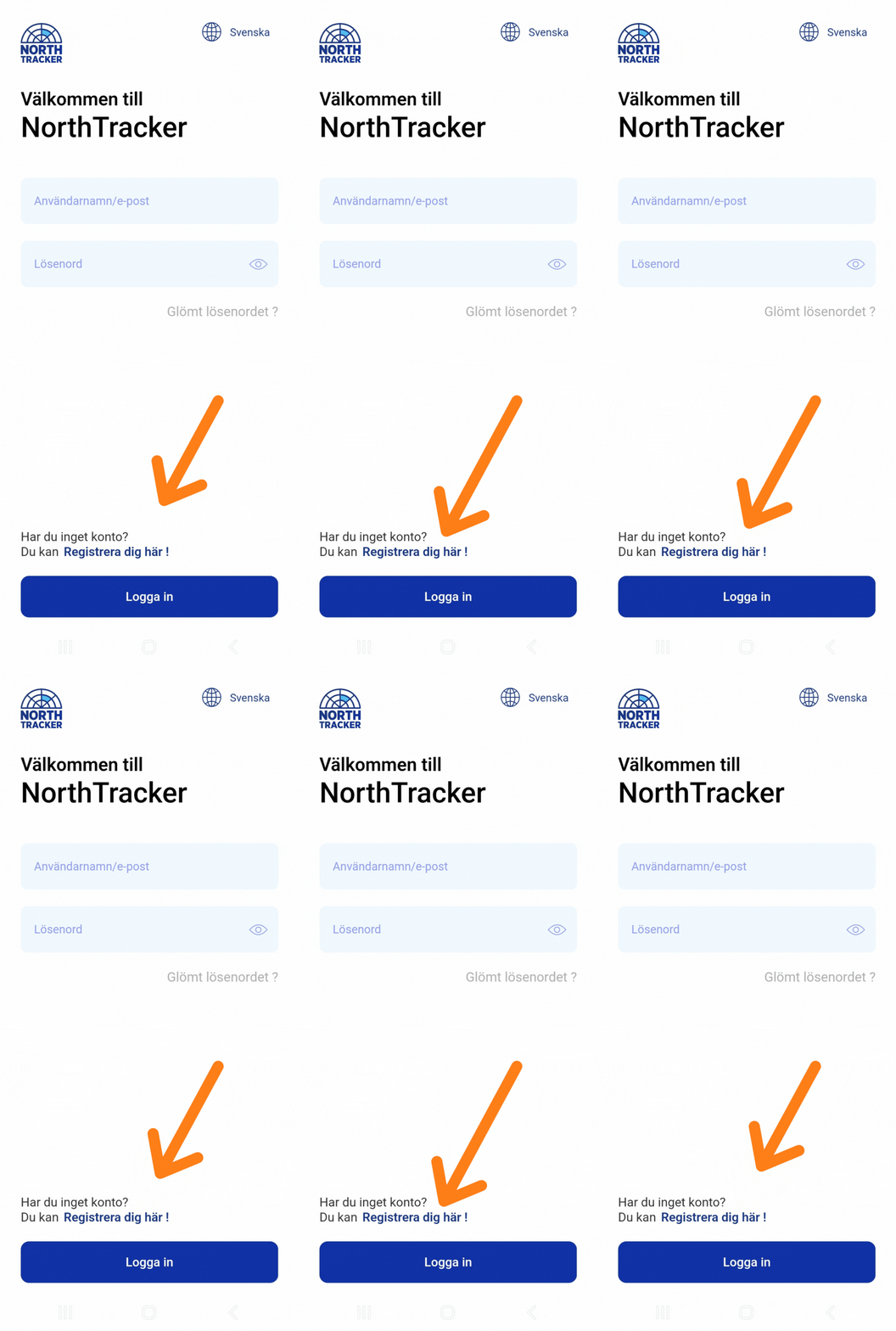
  2. Then register your account.

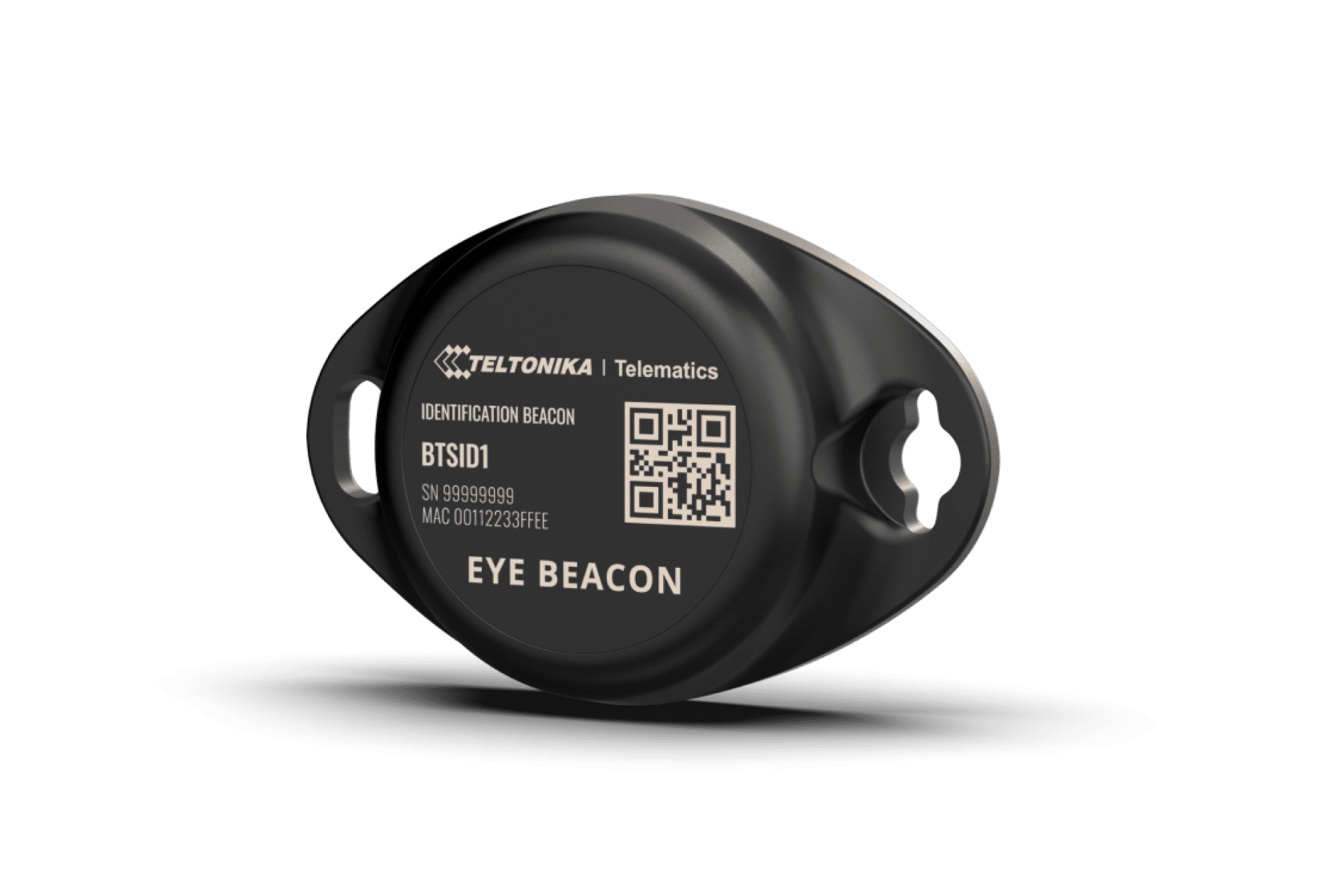
  3. Now place the device.

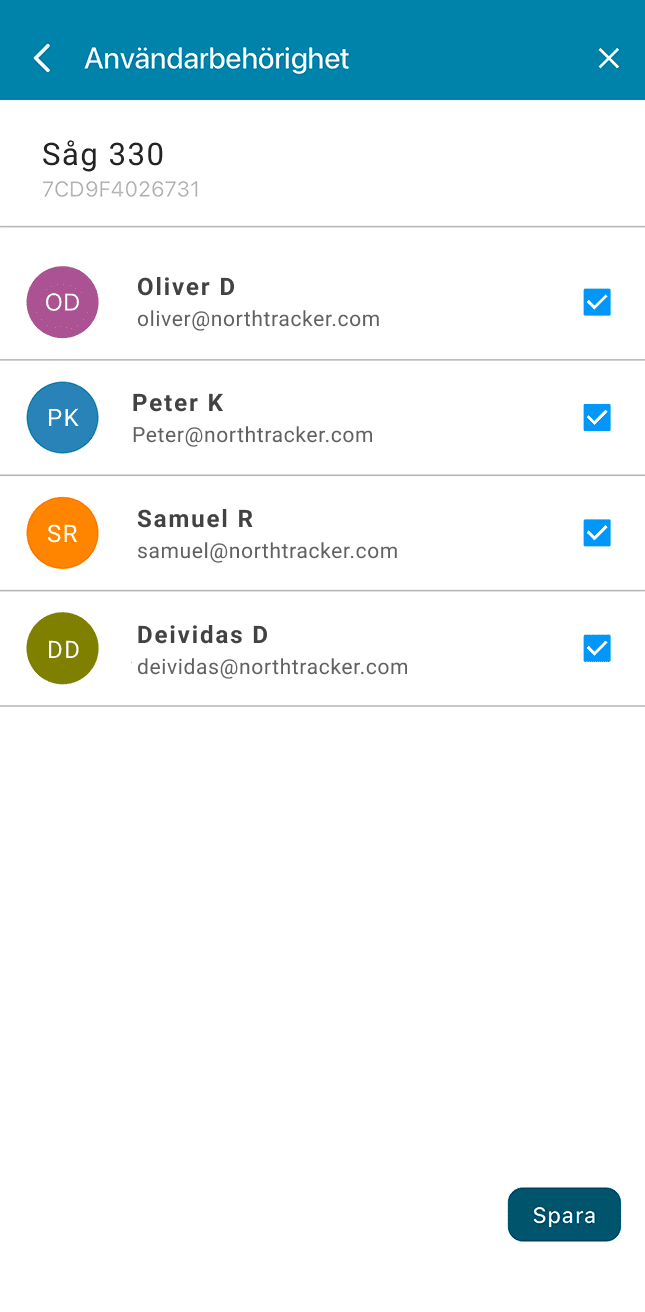
  4. Check which users should have access to the device.

You’re all set!

Extra tips

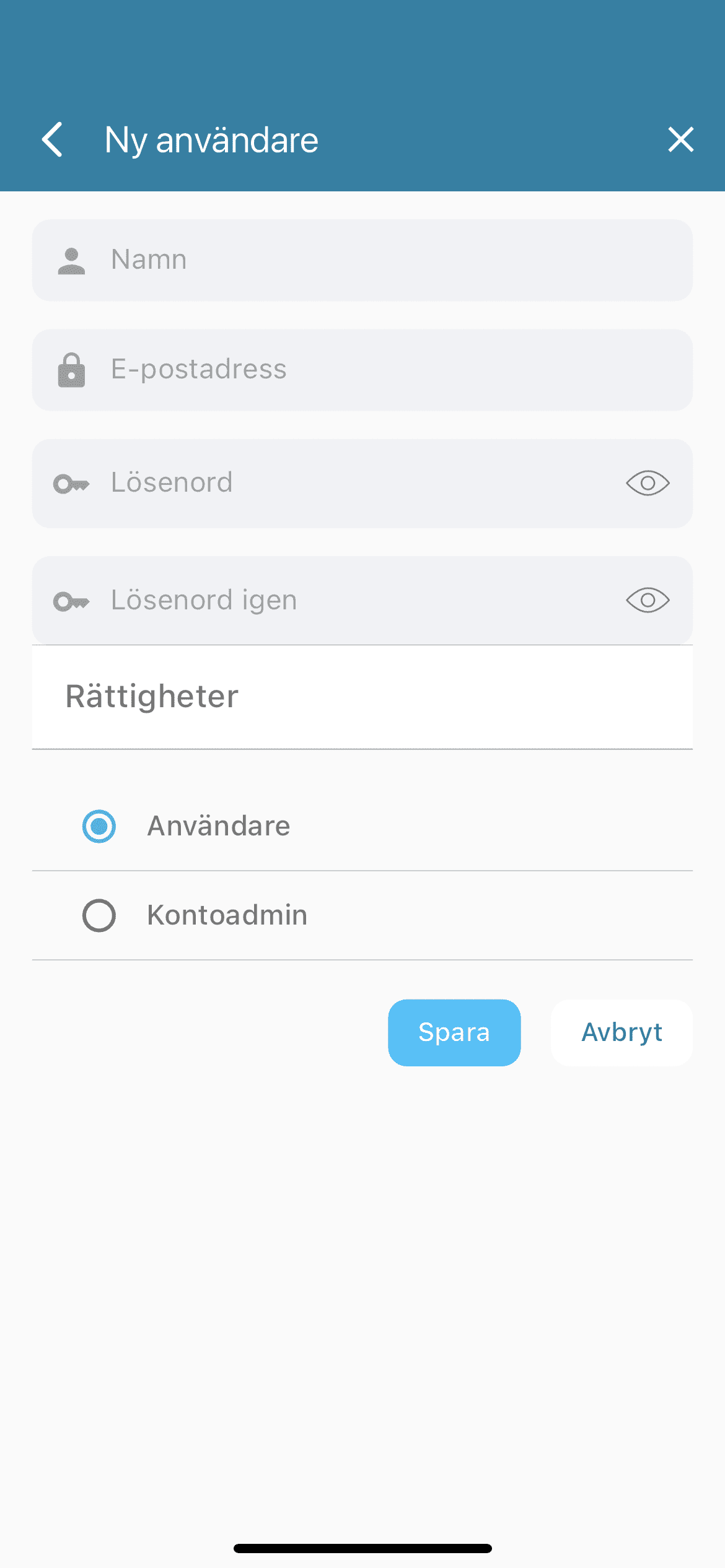
  1. You can add more users so multiple people can share the account and use the features.

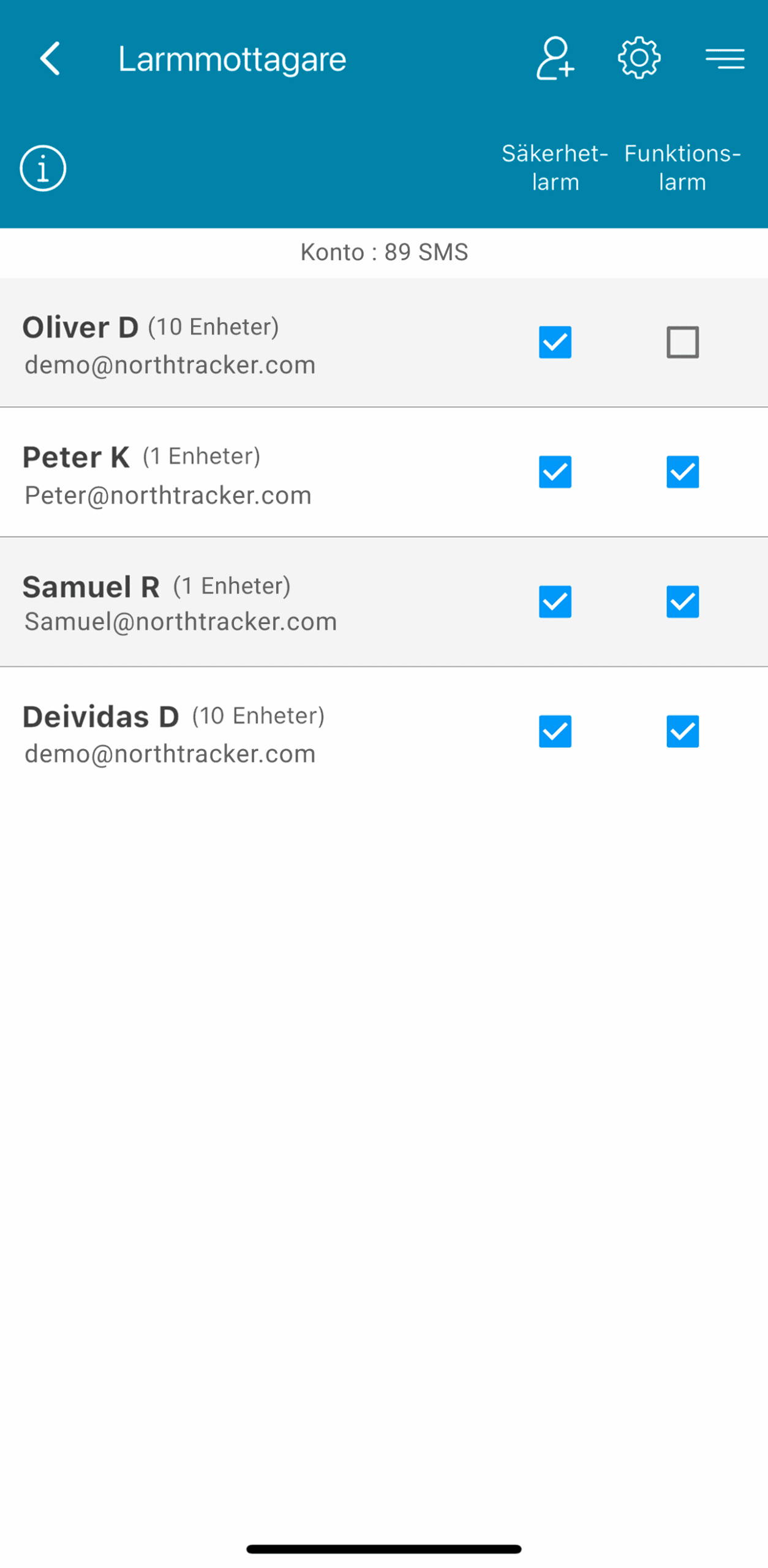
  2. Create additional alarm recipients so alerts are sent to more people. You can add both account users and people who are not on the account — just enter their email address and phone number.

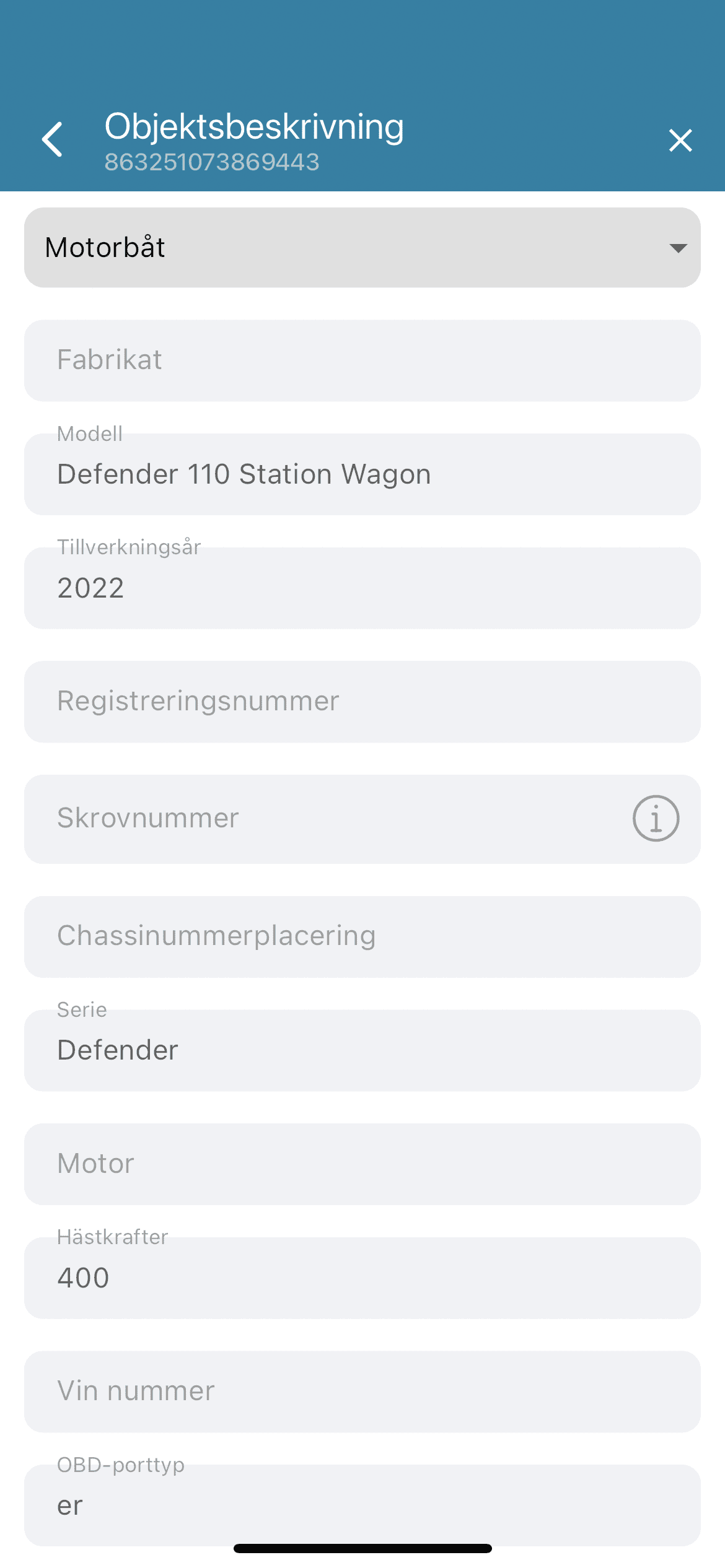
  3. Add an object description to make the device easier to identify for the police or your insurance company.

If you have questions, contact NorthTracker Support.

Download the app

Register Account

  • Click “Register here”

  • Select “Company” or “Private”

  • Choose your country

  • Scan the MAC ID (located on the front of the device)

  • Enter where you purchased the device

  • Enter your company name (only if you selected Company)

  • Enter your first and last name

  • Enter your email address

  • Enter your personal identity number (12 digits) or company registration number

  • Enter your address details

  • Enter your phone number

  • Create a password

  • Choose paper invoice or digital invoice (private customers only)

  • Verify that your details are correct

  • Read and accept the terms and conditions

  • Done

Place the device

  • The device is activated upon delivery

  • Hide and position the device carefully

  • NOTE: Equipment Control requires Bluetooth connection – avoid placing it behind metal, as this may negatively affect reception

4. Check who has access to the device

  • Tap Device in the bottom left corner

  • Select “Permissions”

  • Select the users who should have access to the device

  • Save

  • Done

Optional: Add more users

  • Tap the menu in the top right corner

  • Select “Account”

  • Tap the user icon with a plus sign in the top right

  • Enter contact details and set permissions

  • Save

  • Swipe the user to the left to edit device permissions

  • Select devices

  • Save

  • Done

Hur du lägger till fler användare i NorthTracker-systemet

Create an Alarm Recipient

  • Tap the menu in the top right corner

  • Select “Alarm Recipients”

  • Tap + in the top right

  • Select an existing user or create a new alarm recipient

  • Choose where the alarm should be sent (email/phone number; push notifications can only be sent to existing users)

  • Select which alarms should be sent (Security alarms / Function alarms)

  • Save

  • Swipe left on the user profile and select the devices the recipient should receive alarms from

  • Save

  • Done

Object Description

Fill in the object description to help insurance companies and the police in the event of theft.

  • Tap Device

  • Select “Object Description”

  • Fill in the object details

  • Save

  • Done

Hur du fyller i en objektbeskrivning i NorthTracker-appen

Your object is now registered and being tracked by the system. Monitor the tracker via the app or web portal.

If the device triggers an alarm

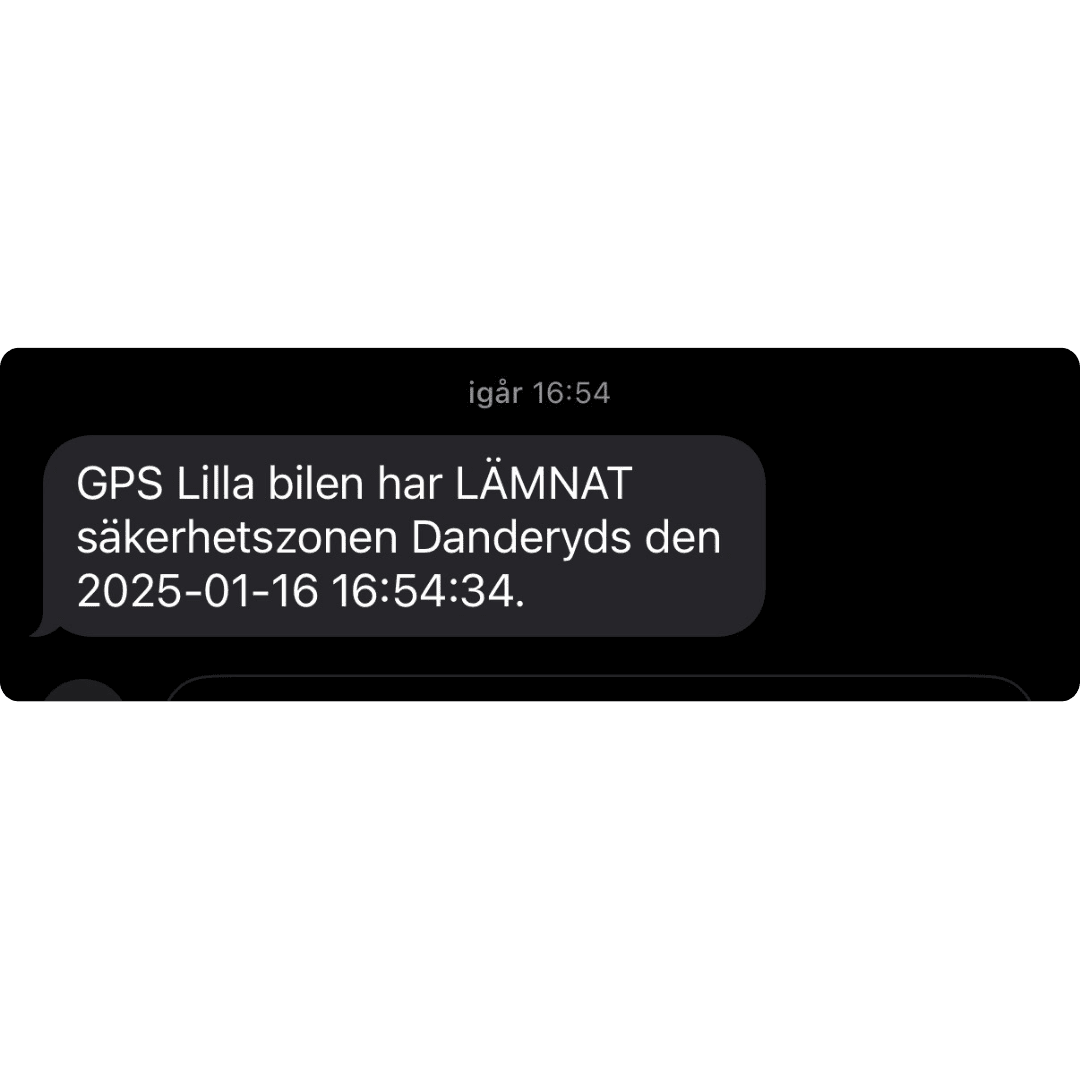
If the tool tracker leaves a security zone, an alarm can be sent via email, push notification and SMS to the alarm recipients you have added to the system.

Exempel på ett larm-SMS från NorthTrackers system

If you have any questions, contact NorthTracker support at:
Tel: +468 – 25 96 00
Email: info@northtracker.com

Restez informé

Recevez en avant-première nos nouveautés et offres exclusives.
Your subscription could not be saved. Please try again.
Your subscription has been successful.

Få ett prisförslag eller mer information

Fyll i dina uppgifter så återkommer vi

Genom att fylla i detta formulär godkänner du att vi hanterar dina uppgifter. Läs mer hur vi hanterar din data här: Länk till integritetspolicy

Få ett prisförslag

Fyll i dina uppgifter så återkommer vi

Genom att fylla i detta formulär godkänner du att vi hanterar dina uppgifter. Läs mer hur vi hanterar din data här: Länk till integritetspolicy

Demandez un devis gratuit

Laissez vos coordonnées et nous vous contactons dans les plus brefs délais.

En remplissant ce formulaire, vous acceptez que nous traitions vos données personnelles.
En savoir plus sur la gestion de vos données : lien vers la politique de confidentialité.

Få ett prisförslag eller mer information

Fyll i dina uppgifter så återkommer vi

Genom att fylla i detta formulär godkänner du att vi hanterar dina uppgifter. Läs mer hur vi hanterar din data här: Länk till integritetspolicy

Obtenez un devis gratuit pour votre carnet de bord électronique

Laissez vos coordonnées et nous vous contactons rapidement.

En remplissant ce formulaire, vous acceptez que nous traitions vos données personnelles.
En savoir plus sur la gestion de vos données : lien vers la politique de confidentialité.