Click the menu in the top right corner
Select “Alarm Recipients”
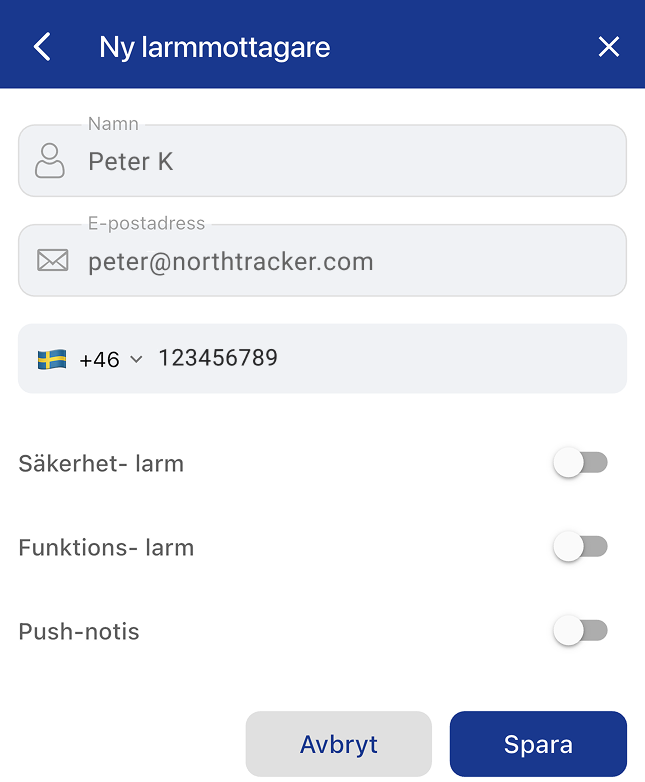
Click + in the top right
Select an existing user or create a new alarm recipient
Choose where the alarm should be sent (email/phone number; push notifications can only be sent to existing users)
Select which type of alarm should be sent (security alarm/function alarm)
Click Save
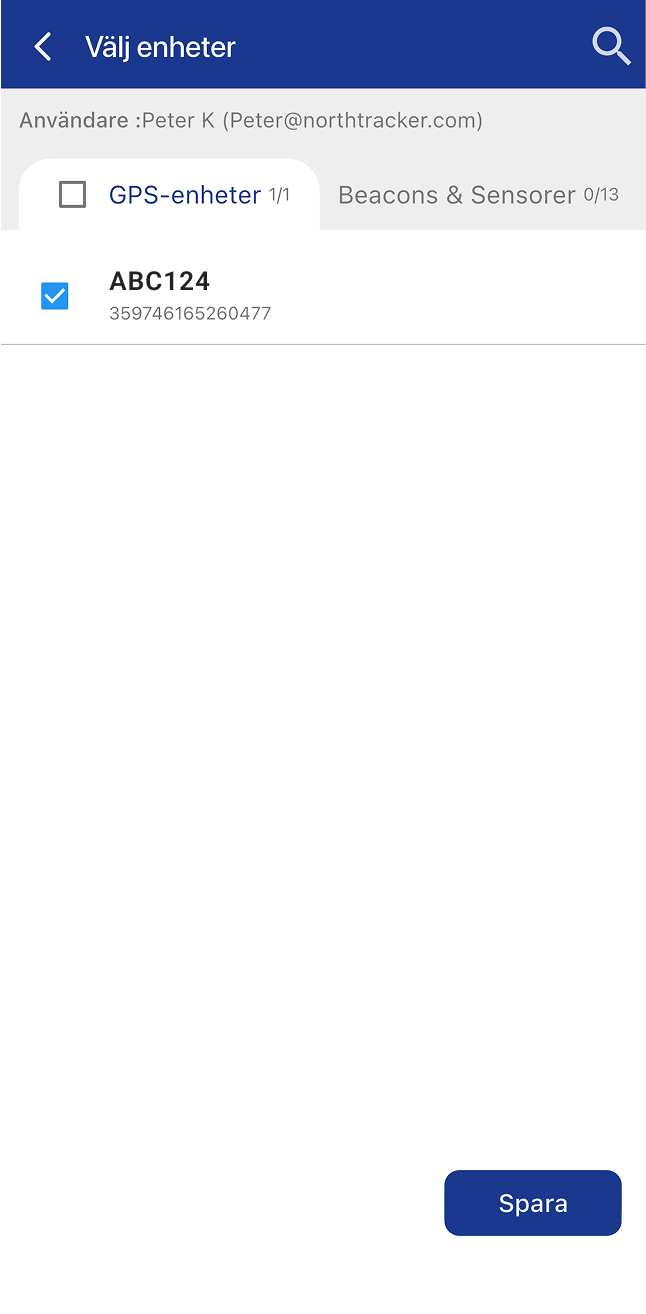
Swipe left and select the devices the recipient should receive alarms from
Click Save
Done
Swipe the user to the left
Press the blue button
Select the devices this user should receive alarms from
Click Save
Done
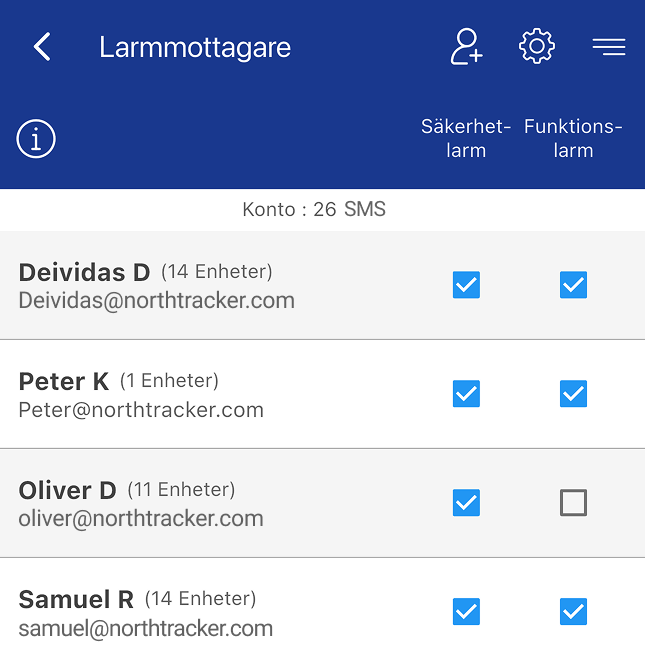
Here you can choose which types of alarms each user should receive.
Swipe right on a row to display two options:
Red button: Delete alarm recipient
Green button: Edit alarm recipient
Swipe left to display a blue button – press it to select which devices that alarm recipient should receive alarms from.
For further questions, contact NorthTracker support:
Tel: +468–25 96 00
Email: info@northtracker.com
Genom att fylla i detta formulär godkänner du att vi hanterar dina uppgifter. Läs mer hur vi hanterar din data här: Länk till integritetspolicy
Genom att fylla i detta formulär godkänner du att vi hanterar dina uppgifter. Läs mer hur vi hanterar din data här: Länk till integritetspolicy
En remplissant ce formulaire, vous acceptez que nous traitions vos données personnelles.
En savoir plus sur la gestion de vos données : lien vers la politique de confidentialité.
Genom att fylla i detta formulär godkänner du att vi hanterar dina uppgifter. Läs mer hur vi hanterar din data här: Länk till integritetspolicy
En remplissant ce formulaire, vous acceptez que nous traitions vos données personnelles.
En savoir plus sur la gestion de vos données : lien vers la politique de confidentialité.